Las Vegas Artist Woody Goulart is Your Digital Art Mentor
Guiding adults through digital art with personalized lessons and patient mentoring is the artist Elwood (Woody) Goulart, a resident of Las Vegas, Nevada. He is certified as a professional life skills coach and also has earned advanced degrees in communication.
You can feel confident trusting him because of his extended years of experience creating and releasing digital artworks. Since 2007 he's used digital art rendering tools to produce distinctive works and has released them worldwide under his artist and brand name, Madeira Desouza.
Evidence of his strong international presence is his over 900 followers within the largest online art gallery and community.
His digital art mentoring grew out of this artist’s long-standing interest in how masculinity is portrayed in visual culture around the world. Much contemporary imagery of men emphasizes performance—strength displayed loudly, identity exaggerated, and emotion heightened for dramatic effect. His work takes a different direction. His digital art depicts quieter forms of masculine presence.
Visit his website MALE GRAVITAS ART where you can learn more about him.
- - - - - - -
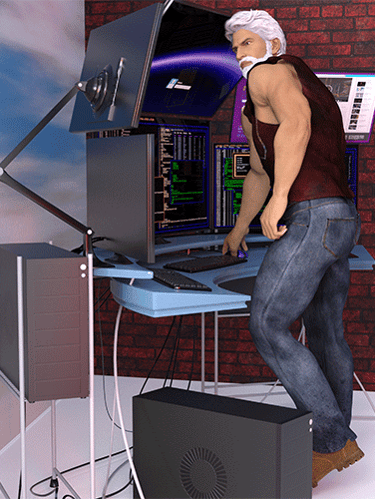
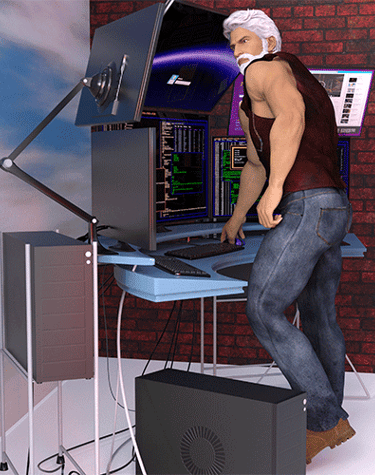
How to Create Male Characters
Using the Digital App
Let's get started. First you need to know that the process of creating a digital character (or any other digital image) involves using a particular specialized software application to achieve a realistic, credible outcome.
That software app is known as Daz 3D Studio and it is free to download at dazd3d.com. You pay for downloading digital assets that are used inside Daz 3D Studio. The digital assets greatly increase your capability to create digital characters and other digital images.
The digital art mentoring you can receive from artist Madeira Desouza requires that you use the Daz 3D Studio app and various digital assets.
---------------------------------------
Workflow:
The first step in the workflow is to register at daz3d.com to become a member of the Daz 3D community. There is a free membership option. There also are two other memberships that you can pay for which increase your capabilities using Daz 3D Studio.
You then download Daz 3D Studio and install the app on your Windows laptop or desktop. You can decide later on about purchasing digital assets.
Highly recommended: Go to the Daz 3D Documentation Center and download the free 100-page User Guide. You would benefit from printing out all the pages using a color printer. If you use a three-hole punch, you can keep all pages safely in a binder. You will be looking up various topics in the User Guide so keep the pages near your workspace.
. . . . . . . . . . . . . . . . .
Go to https://www.youtube.com/watch?v=SbuyR0h7yF8 where you can view an age-restricted video (18+ viewers only) created by artist Madeira Desouza that shows you how he uses Daz 3D Studio.
. . . . . . . . . . . . . . . . .
Once you get comfortable using the Daz 3D ecosystem, typically you will pay attention to each of these elements: follow these repeatable steps in your creative work:
1--Initial Character Foundation:
· You may want to import a photograph of a man's face into the app. This enables you to put the face on a character's body. An option is to use digital assets of pre-configured characters instead.
2--Customization and Detailing:
· You adjust skin tone and add features like hair and facial stubble to enhance realism.
· Subtle manipulations are performed on facial structure and head depth.
· Body mass, chest and neck muscles, hands, and feet are each open to your choices and variations.
3--Posing and Clothing:
· You pose the character in the staging phase. You select clothing and footwear.
· Modifications need to be made to the character's anatomy to ensure clothing fits appropriately and appears credible.
4--Environment and Rendering:
· You can place the character in a virtual studio environment where the lighting is manually configured.
· Once the scene is set to your satisfaction, the app performs a rendering process to convert the mathematical data and geometry into an image you can share electronically.
Composition and Output:
· You have the flexibility to add a second character (or more) using the above four steps.
· You can also choose to use digital assets to create scenes into which your characters are inserted instead of having your characters appear in a virtual studio environment.
Community Involvement:
· You should join online communities that welcome digital artists to share their creations. Doing so will help promote your creative works.
HELP
Questions? Reach out anytime.
Contact
email: desouza3d@gmail.com
send text: +1-702-845-5331
© 2026. All rights reserved.
Community
Join your fellow digital artists by signing up at DEVIANT ART